The previous article explained how to create a swap file on the Linux server. But the steps in the article can only run if you use the xfs or ext4 filesystem. If you use btrfs in your filesystem, then the article will not be able to run.
Problem
How to create a swap file in the btrfs filesystem?
Solution
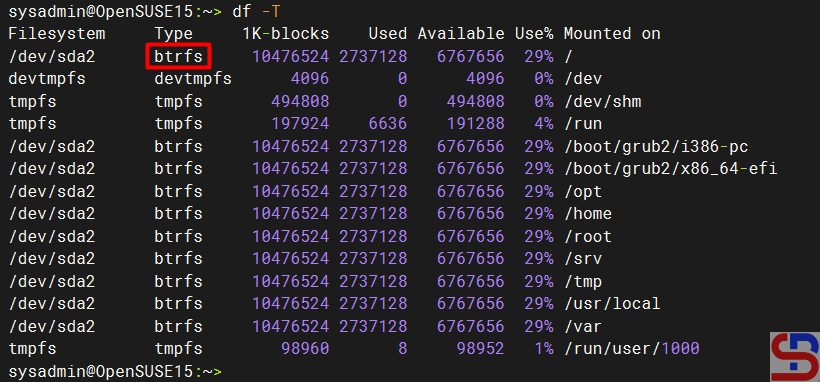
I have an openSUSE server and use the btrfs filesystem as shown in the image below:
And my server does not have a swap space:

Therefore, so that my server can have a 2GB swap space, I have to create a swap file by running the commands below:
sudo truncate -s 0 /swapfile
sudo chattr +C /swapfile
sudo fallocate -l 2G /swapfile
sudo chmod 0600 /swapfile
sudo mkswap /swapfile
sudo swapon /swapfile
cat /proc/swaps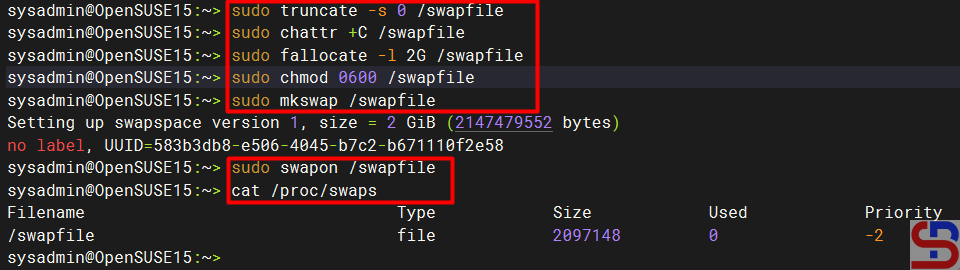
From the picture above, you can see that the server has a swap space. After that, you have to add the below script to /etc/fstab so that the swap space remains when you reboot the server by running the script below:
echo '/swapfile none swap sw 0 0' | sudo tee -a /etc/fstab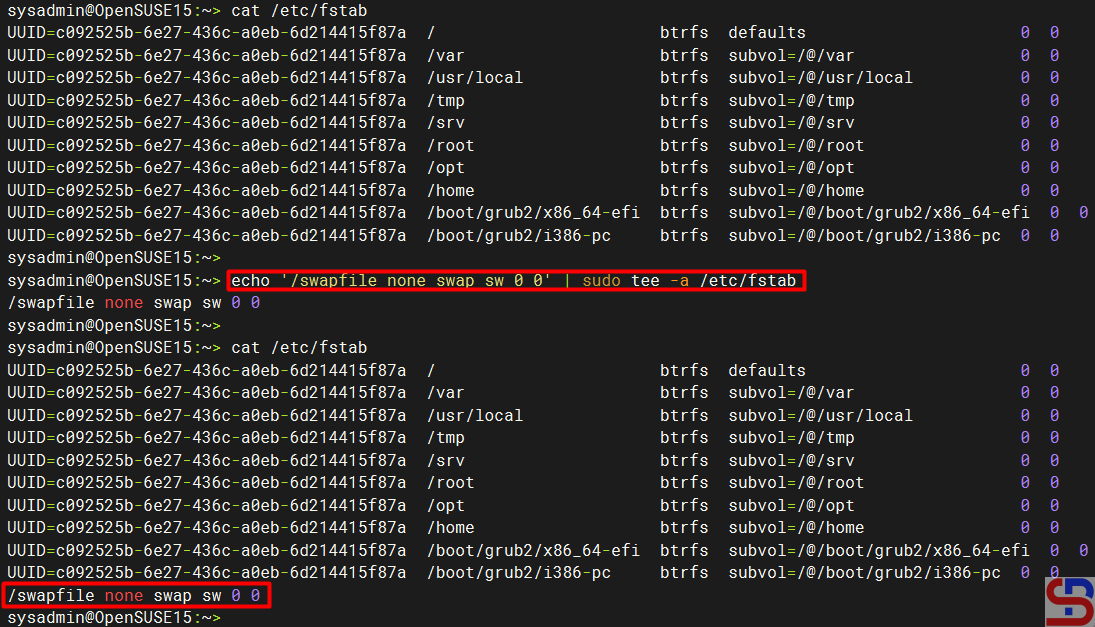
Note
Swap files in btrfs are supported with the following limitations:
- A swap file can’t be on a snapshotted subvolume. Instead, we recommend that you create a subvolume on which to place the swap file.
- Btrfs doesn’t support swap files on file systems that span several devices.
References
btrfs.readthedocs.io
forum.endeavouros.com
docs.oracle.com
askubuntu.com

