The previous article explained how to create a swap file on the Linux server. This article will explain how to remove a swap file, whether your filesystem uses ext4 or xfs, or btrfs.
Problem
How to remove a swap file?
Solution
Check whether the Linux server you have has a swap or not by using the command below:
cat /proc/swaps
Then use the command below:
sudo swapoff /swapfile
After that, delete the entry for the swap file or swap partition in /etc/fstab:
sudo sed -i '/\/swapfile/d' /etc/fstab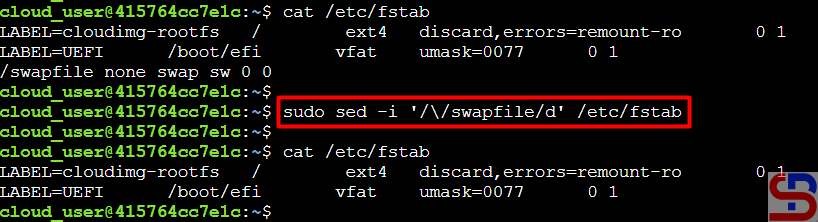
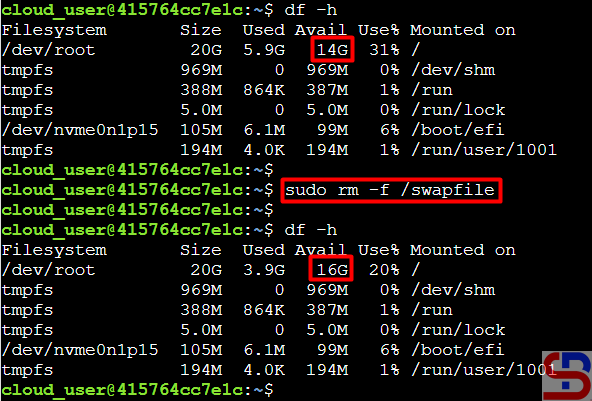
You can delete the swap file using the command below:
sudo rm -f /swapfile
And the hard disk size on your Linux server will increase by 2 GB.
Note
If you want to change the swap size, you must first delete the existing swap files using with steps in this article and then create a new swap file with a larger or smaller size using this article.
References
docs.oracle.com
docs.rackspace.com
docs.redhat.com
askubuntu.com

