I have a Linux Ubuntu server version 22.04, and I want to upgrade to the latest version of Ubuntu.
Problem
How to upgrade Ubuntu to the latest version?
Solution
Before you upgrade your Ubuntu version, I think you have to back up your important data to other devices, and have internet to download the packages needed to upgrade. After that, open port 1022 on your laptop or server if you use the firewall using the below commands:
sudo ufw allow 1022/tcp
sudo ufw reload
sudo ufw status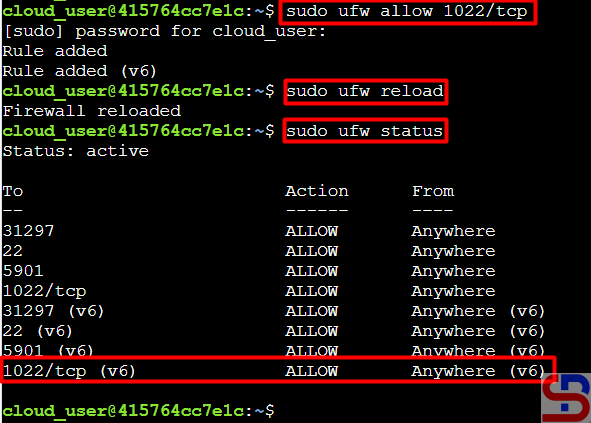
You should know that the Ubuntu version upgrade process can only be done to one major LTS version. So if you have Ubuntu version 20.04 and want to upgrade to the latest version (version 24.04 in November 2024), you have to do a 2x upgrade process, upgrading to version 22.04 first and then to version 24.04. I have Ubuntu version 22.04, like in the image below:
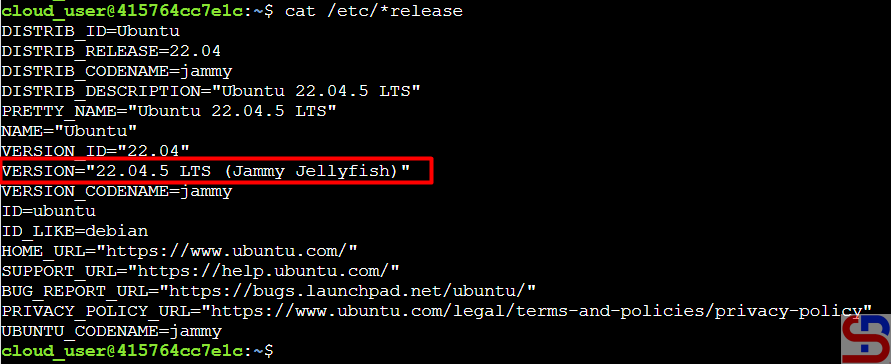
So, I type the command below:
sudo apt update
sudo apt upgrade -y
After that, reboot the server using the command below:
sudo reboot
After reboot, run the command below:
sudo do-release-upgrade
The server will start upgrading to Ubuntu version 24.04. Wait until finished, and sometimes you have to answer the questions asked by the Linux system when upgrading. After the upgrade finishes, check the version of Ubuntu, like in the image below:
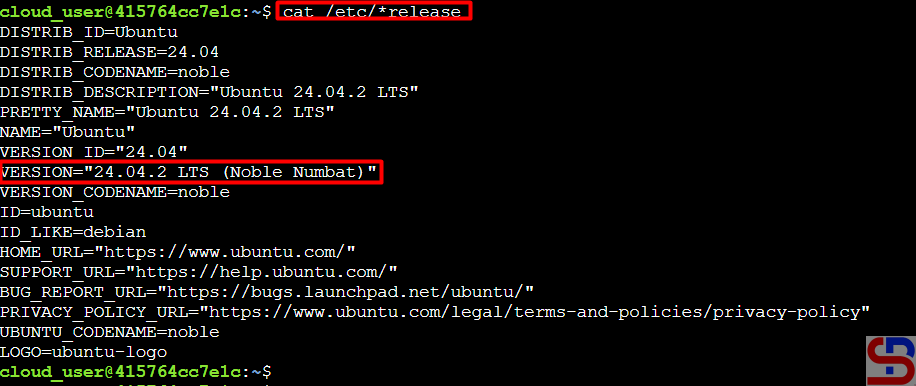
If during the upgrade process, there is a notification like the picture below:
Could not calculate the upgrade
An unresolvable problem occurred while calculating the upgrade.
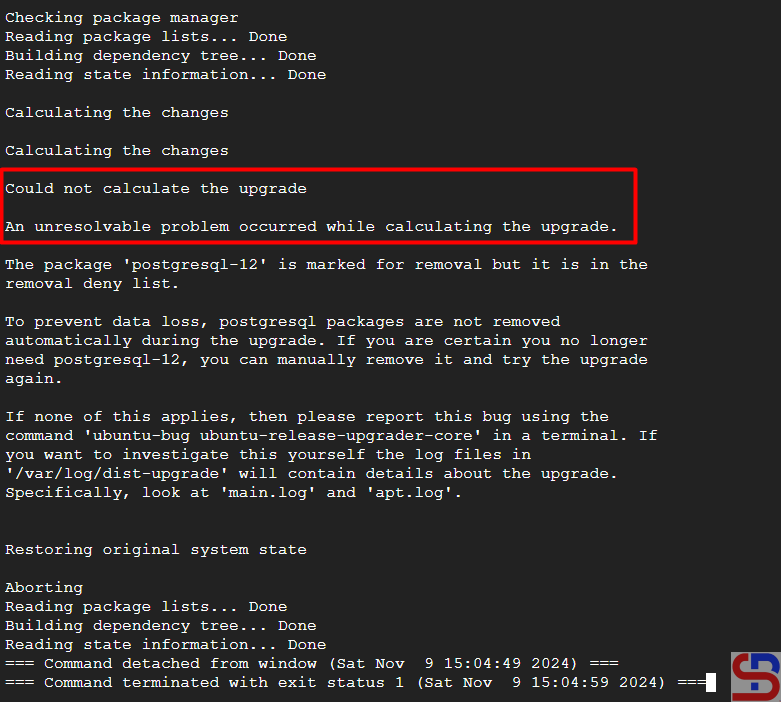
Type the command below to see the errors that occurred during the upgrade process:
cat /var/log/dist-upgrade/main.log | grep ERROR
In the log, you have to search for the cause of the error, but actually, you can find the root cause in the notification, like in the image below:
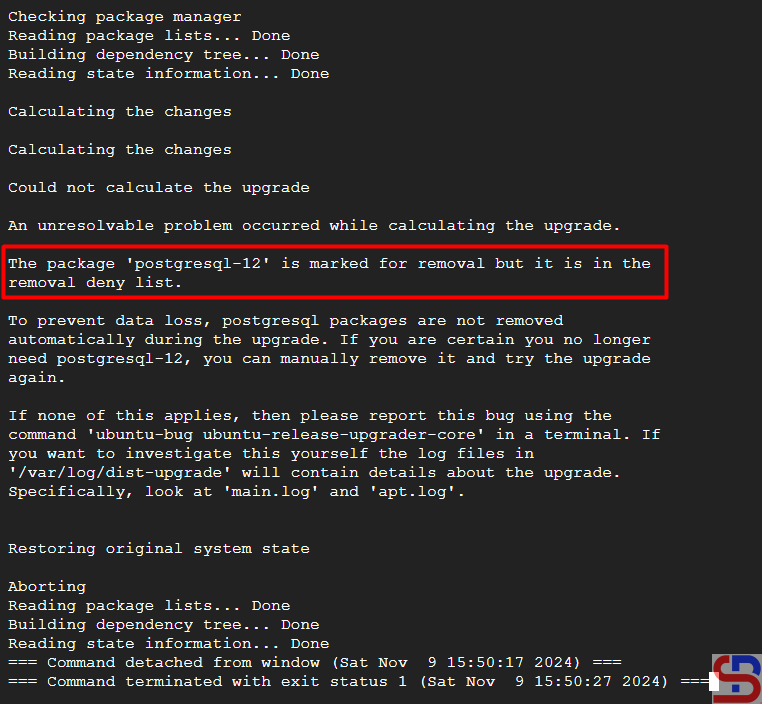
The root cause is in the postgresql-12 package, so I removed the package and then ran the command below to carry out the upgrade process again:
sudo do-release-upgrade
The Ubuntu upgrade process should be completed until it is finished.
Note
When you upgrade Ubuntu, you have to answer the questions from the Ubuntu system, like in the image below:
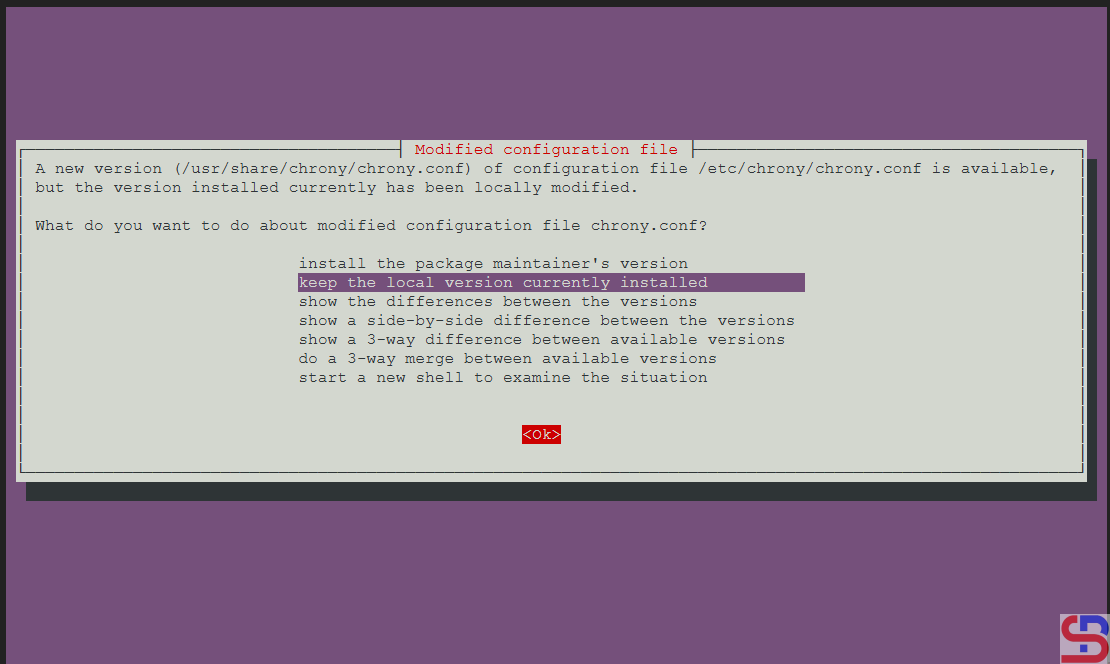
If you don’t want to be bothered by the questions asked by the Linux system during the upgrade process, then use the command below:
sudo do-release-upgrade -f DistUpgradeViewNonInteractive
References
ubuntu.com
serverpilot.io
jumpcloud.com
askubuntu.com

