I want to access the user on the Ubuntu server that has the privilege of root using the sudo command, but I forgot my user password.
Problem
How to reset the password in Ubuntu?
Solution
Here are the steps to reset the password in Ubuntu:
1. Reboot the server
Reboot the server and press the Esc key or Shift key, and there should be a display like below:
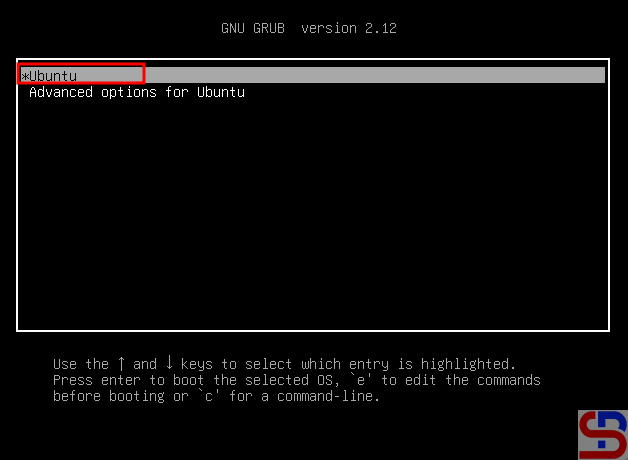
2. Click the first option
To enter recovery mode, select the top part of the image above and push the e button, so that there will be a display like the image below:
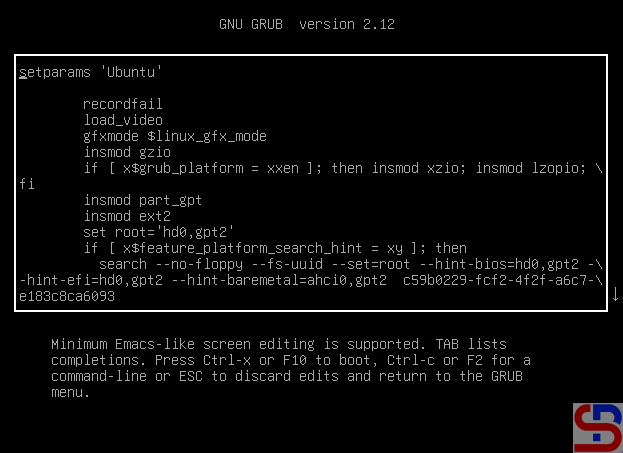
Find the line starting with linux, similar to the picture below:
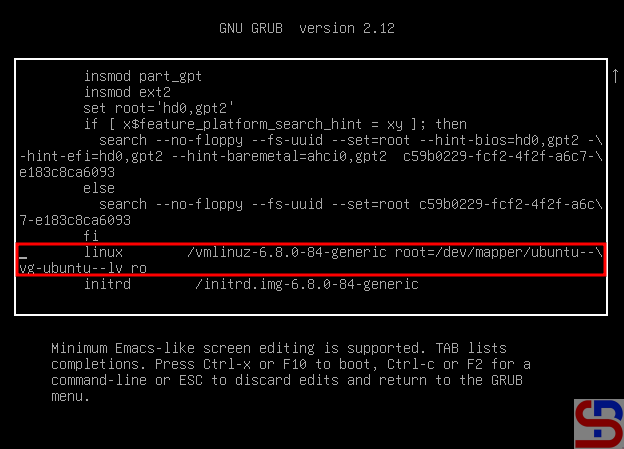
Remove everything from ro and append rw init=/bin/bash to the end of this line, like the picture below:
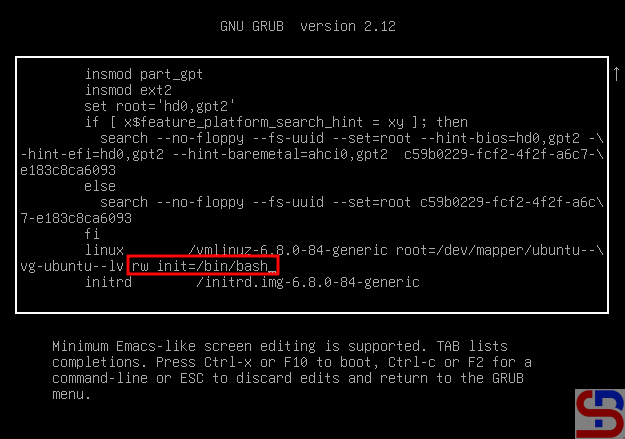
After you change the script, press F10 or Ctrl+x to boot these parameters.
3. Run the commands
In the recovery mode, run the command below:
mount | grep -w /
After that, execute the command below to change the password:
passwd
After you change the password, run the commands below:
mount -o remount,ro /
exec /sbin/init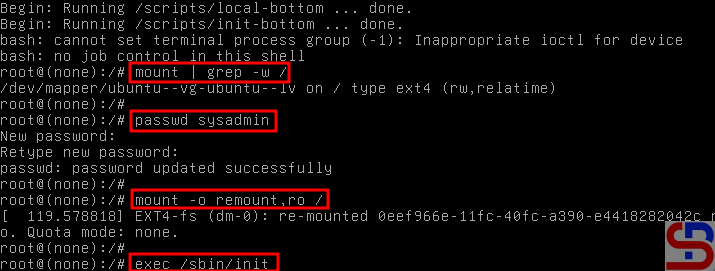
The Linux server will reboot, and after that, try to log in with the new password that you set before.
Note
By default, you cannot log in directly as root on Ubuntu, so you can’t change your password to root because to be root on Ubuntu, you only need to use your sudo command and enter your user password.
References
tecmint.com
askubuntu.com
infotechys.com

