I have a file containing many IPs that I want to ping the rest of the IPs.
Problem
How to read a file line by line on Linux?
Solution
I have an ip.txt file that contains IP addresses, and in this article, I will only limit it to 3 IP addresses:
192.168.56.2
192.168.56.12
192.168.56.100
To read a file line by line on Linux, you can use the format below:
cat your_file | while read line
do
         the-commands-that-you-want-to-run
         .......
         .......
done
In this case, the format above has changed as below to ping each IP in the file:
cat ip.txt | while read line
do
	ping -c 3 $line
	echo
done
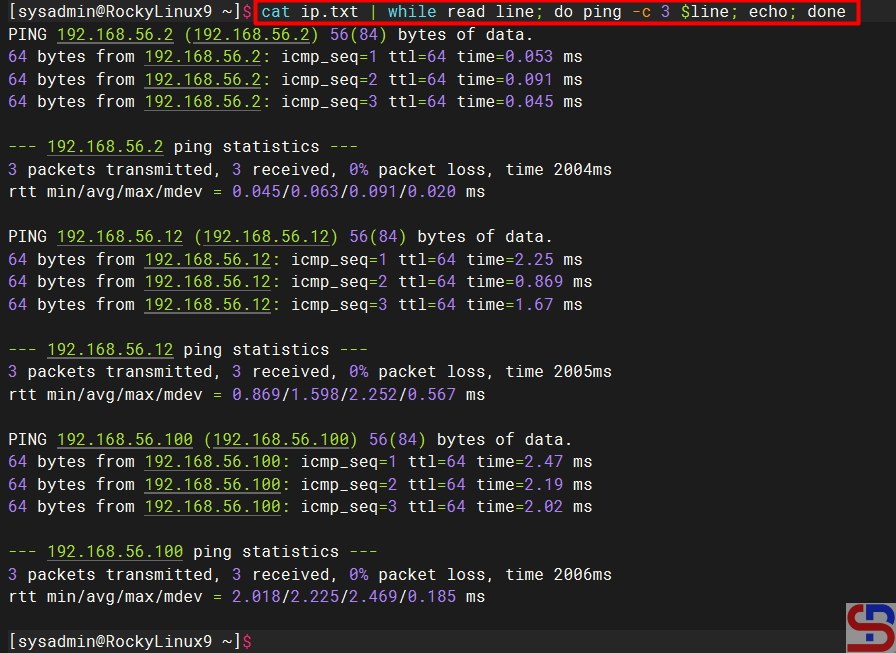
The command above means to run the ping command 3x on each IP in the ip.txt file by separating one line for each IP. If we run the command, it will look like the image below:
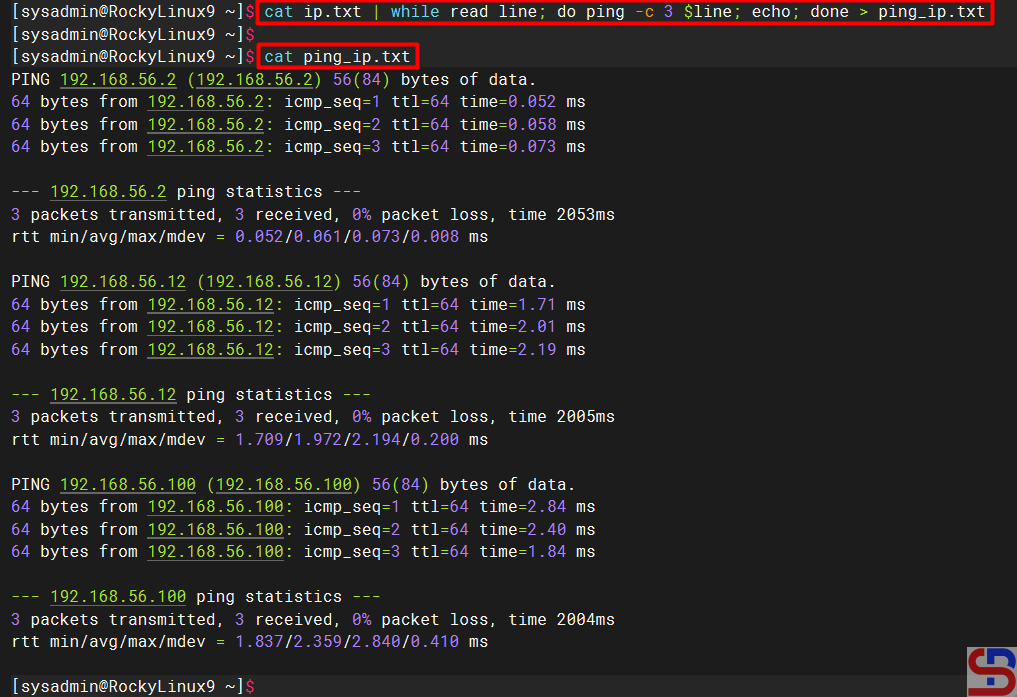
Change the script above to be as below if you want to enter the results of each ping IP into one file:
cat ip.txt | while read line
do
    ping -c 3 $line
    echo
done > ping_ip.txt
Look at the picture below:
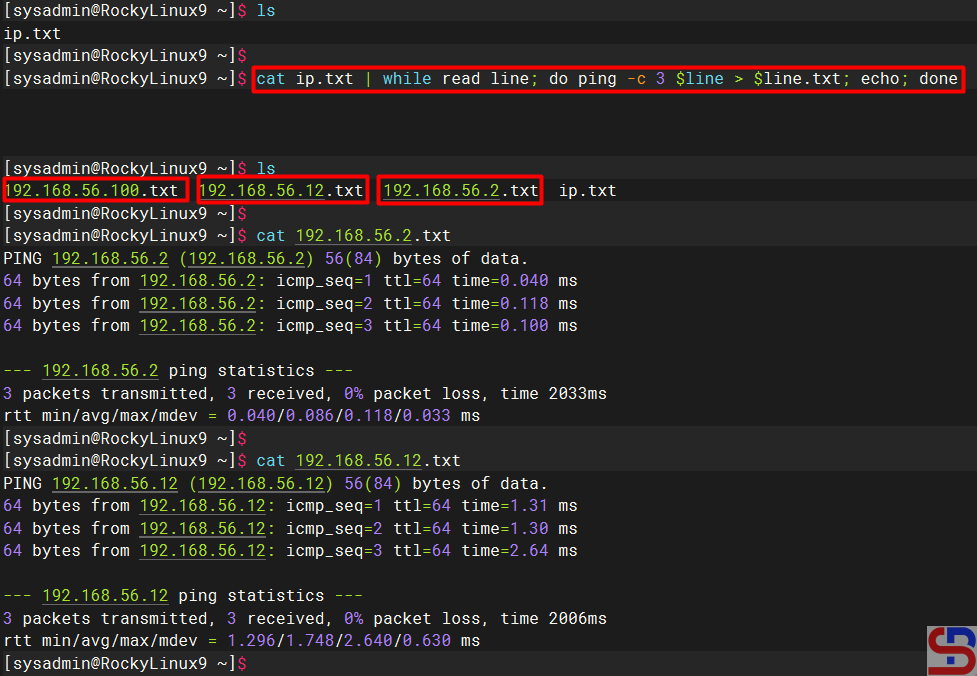
But if you want to enter the results of each ping IP into several files based on the IP, change the script above to be as below:
cat ip.txt | while read line
do
    ping -c 3 $line
    echo
done > ping_ip.txt
There should be new files after you run the script above, and each file will contain the results of the ping IP as in the image below:
Note
In addition to using the script above, you can use the script below to read line by line in a Linux file:
while IFS= read -r line; do ping -c 3 $line ; echo; done < ip.txt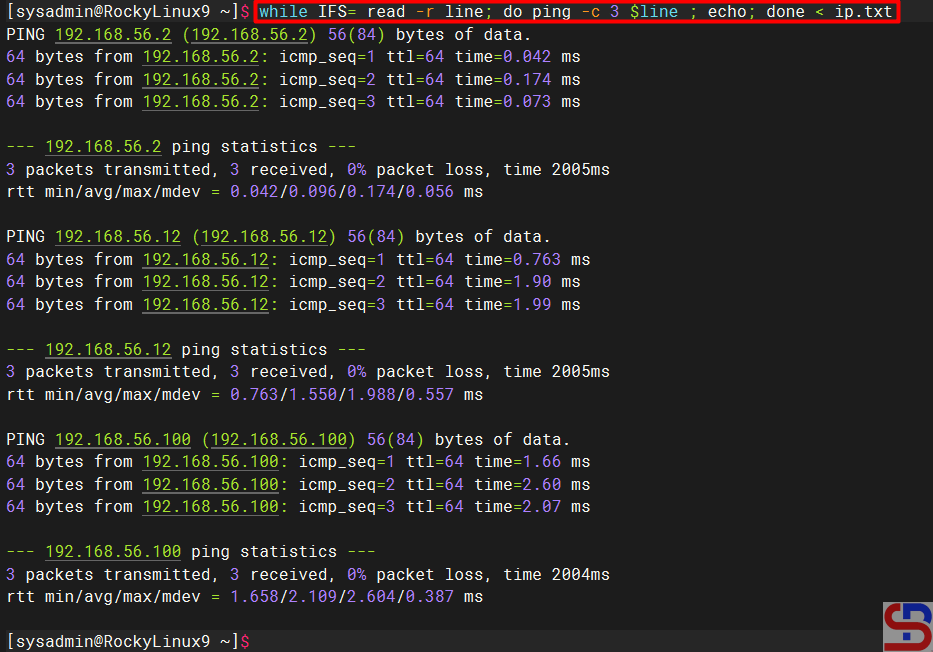
References
cyberciti.biz
linuxhint.com
linuxize.com
stackoverflow.com

