Many people use cloud technology provided by cloud providers such as AWS, GCP, and Azure to support their business operations. One of the features of this technology is the use of a virtual machine, or VM.
Problem
How to create a virtual machine in GCP?
Solution
There are several ways to create a virtual machine or a VM in GCP, but this article will explain how to create a virtual machine in the GCP console. In the GCP Console, at the top left corner, click the Navigation menu, which is symbolized by three lines as in the image below:

Then click Compute Engine > VM Instances as in the image below:
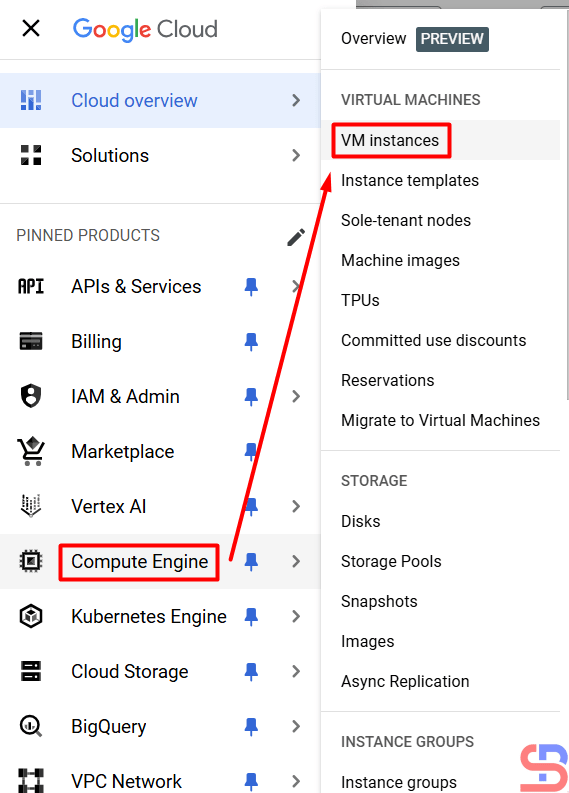
After that, click the CREATE INSTANCE button, then a display will appear as below:

You will see a display like the image below:
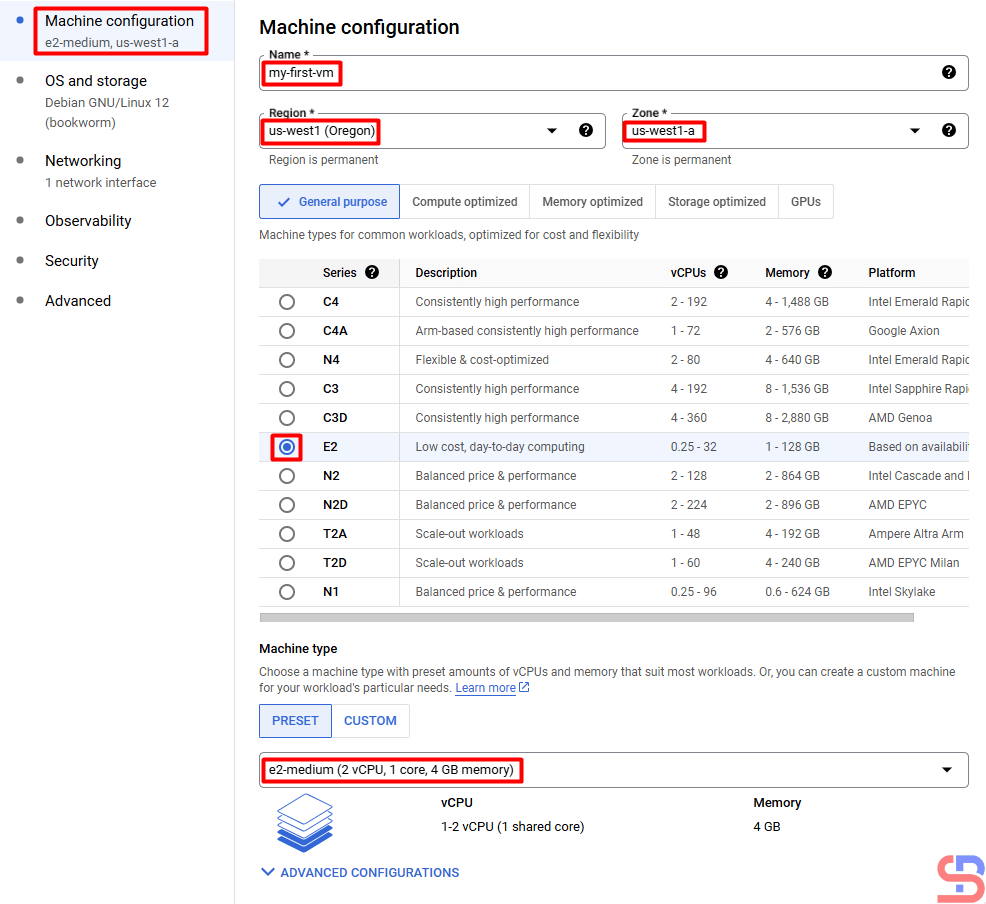
In the Machine Configuration section, you have to write the name of the VM, the location of the VM, the CPU, the RAM, and the type of machine that will be used in your VM. I wrote down my VM requirements as in the picture above. After filling in this section, click the OS and storage section. Here you can choose the OS you use and how many hard disk sizes you want in the VM using the CHANGE button:
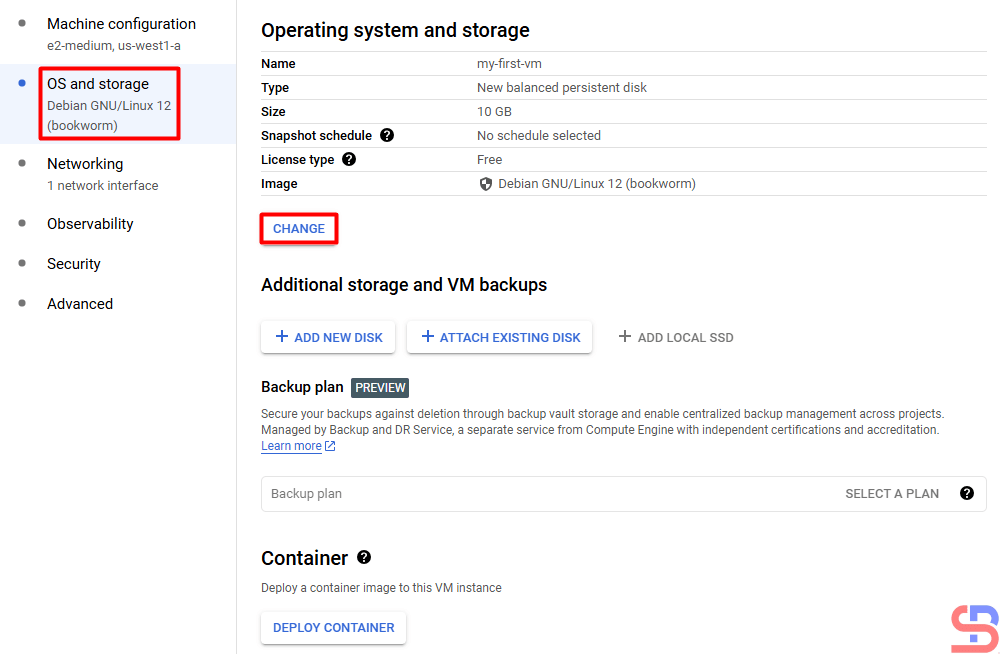
After that, in the Networking section, you have to fill in the network requirements for the VM. I filled it in as shown in the image below. I don’t fill in the Observability, Security, and Advanced sections because I don’t need them for my virtual machine.
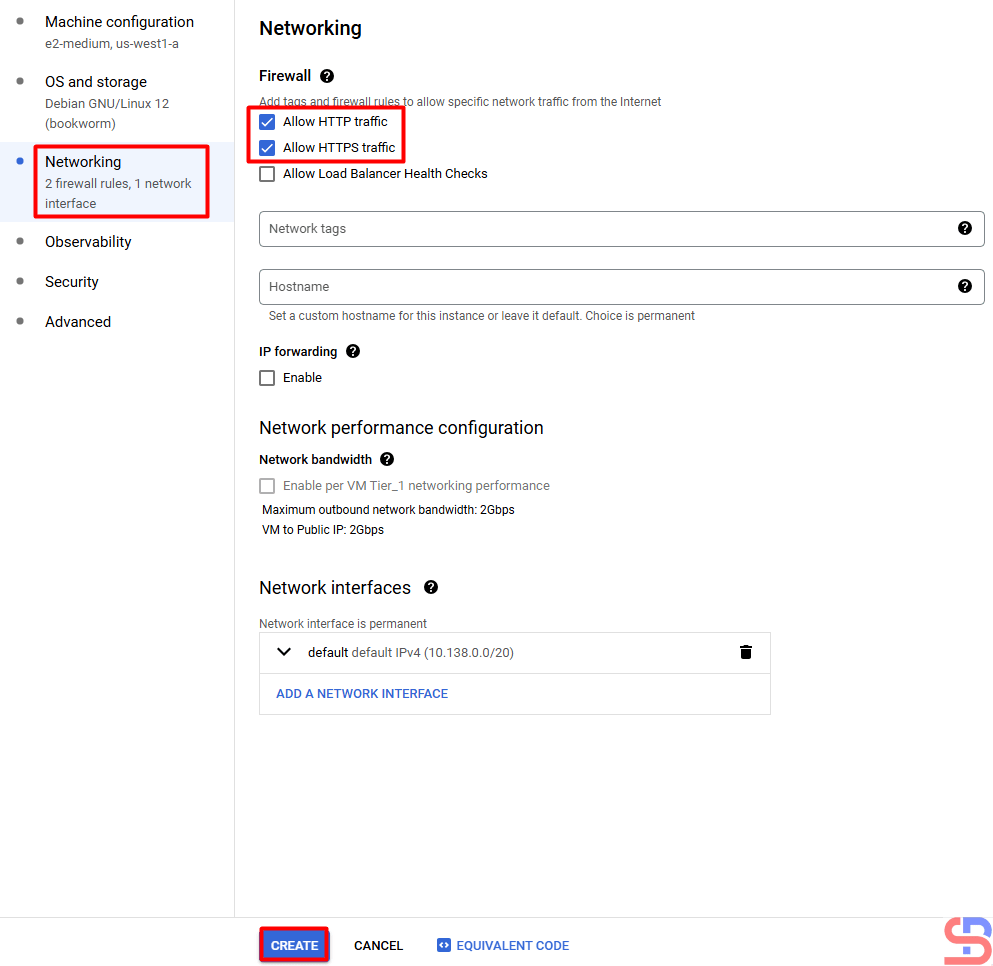
After that, I press the CREATE button and wait until the virtual machine creation process completes:
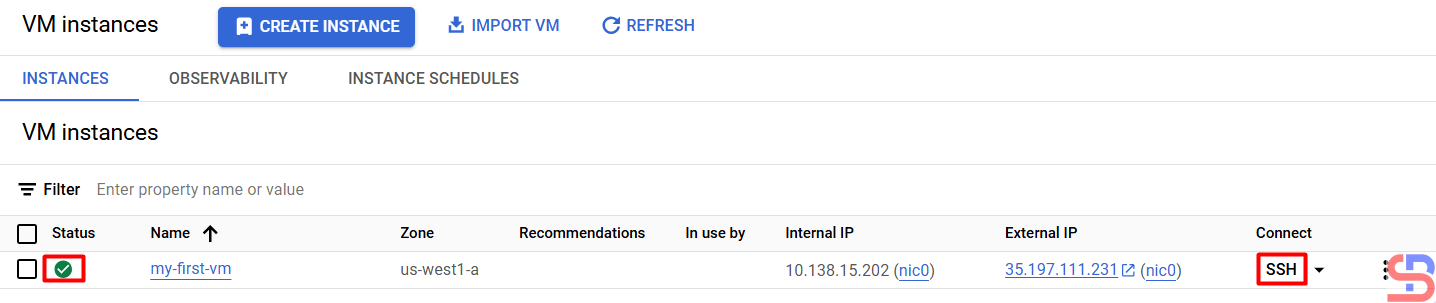
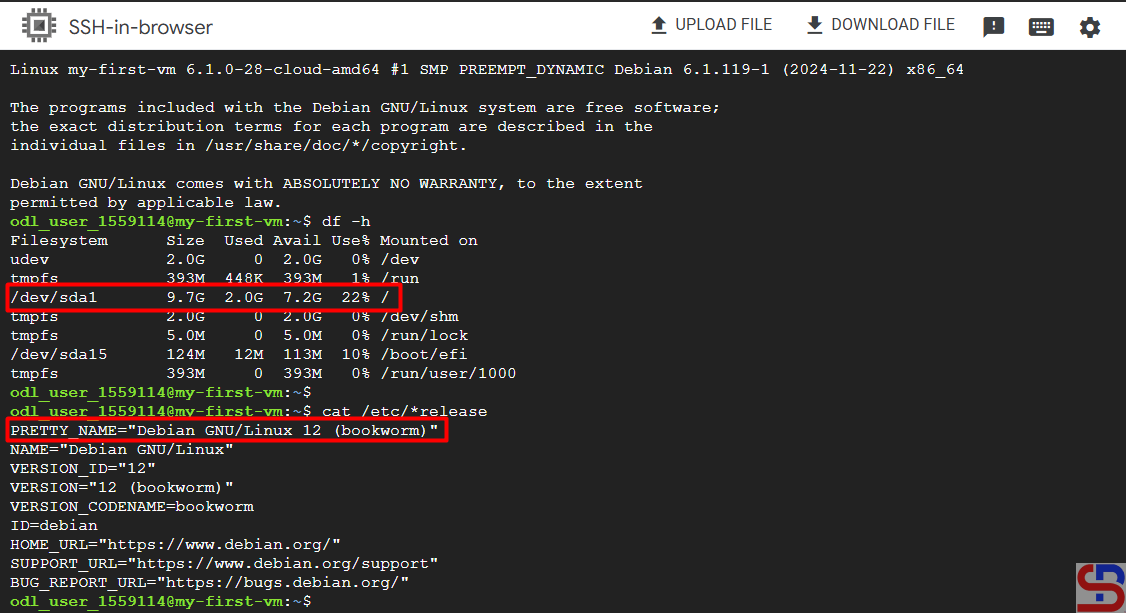
If you want to access your VM, then press the SSH button, and you can see the OS and HDD size on your VM in the image below:
Note
At first glance, it seems easy to create a virtual machine in GCP. However, if you work in real conditions, there will be many options that must be filled in when creating your virtual machine.
References
diana-moraa.medium.com
techrepublic.com

