If you access a device such as a server using an SSH connection, you are using port 22 by default. However, port 22 is often the target of security attacks, so it is recommended that you change the SSH port.
Problem
How to change SSH Port?
Solution
To change the SSH port on a Linux server, go to the /etc/ssh/sshd.config file, look for the line containing Port 22 and set it to the number you want to change. For example, you want to change the SSH port to port 43210, so change the line as in the script below from:
#Port 22to
Port 43210
After that, restart the SSH service using the command below:
Ubuntu/Debian
systemctl restart ssh
RockyLinux/AlmaLinux/CentOS & OpenSUSE
systemctl restart sshd
After that, test by accessing SSH using port 43210. If you use Putty, then change port 22 to 43210 as in the image below:
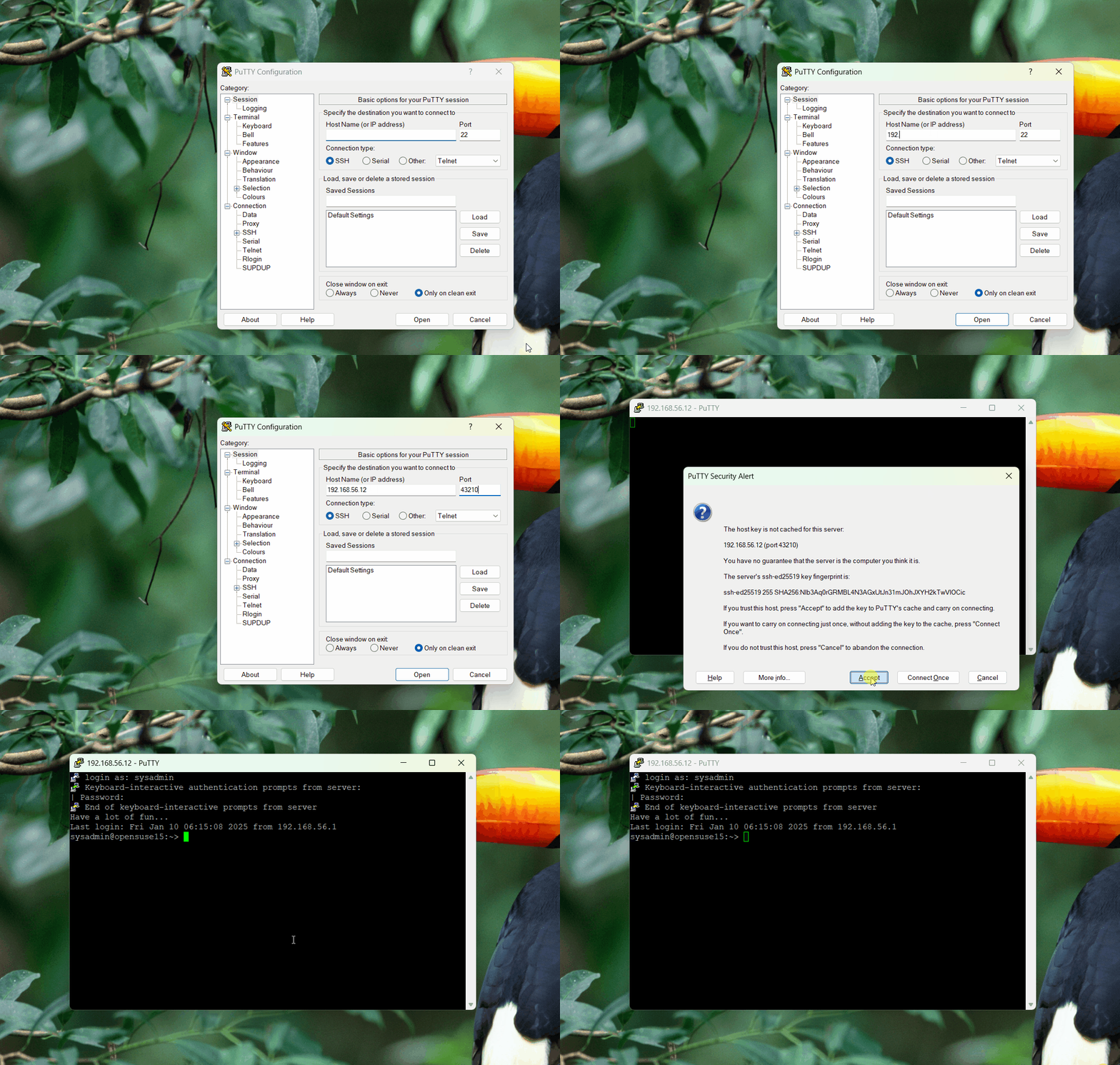
If you can’t access the Linux server, make sure you have opened the firewall on the server (you can open this page if you use RockyLinux and OpenSUSE, but if you use Ubuntu, you can read it on this page). If you want to access it via a Linux server, then use the format below:
ssh username@your_server_ip -p port_number
Then the format above can be the command below:
ssh sysadmin@192.168.56.12 -p 43210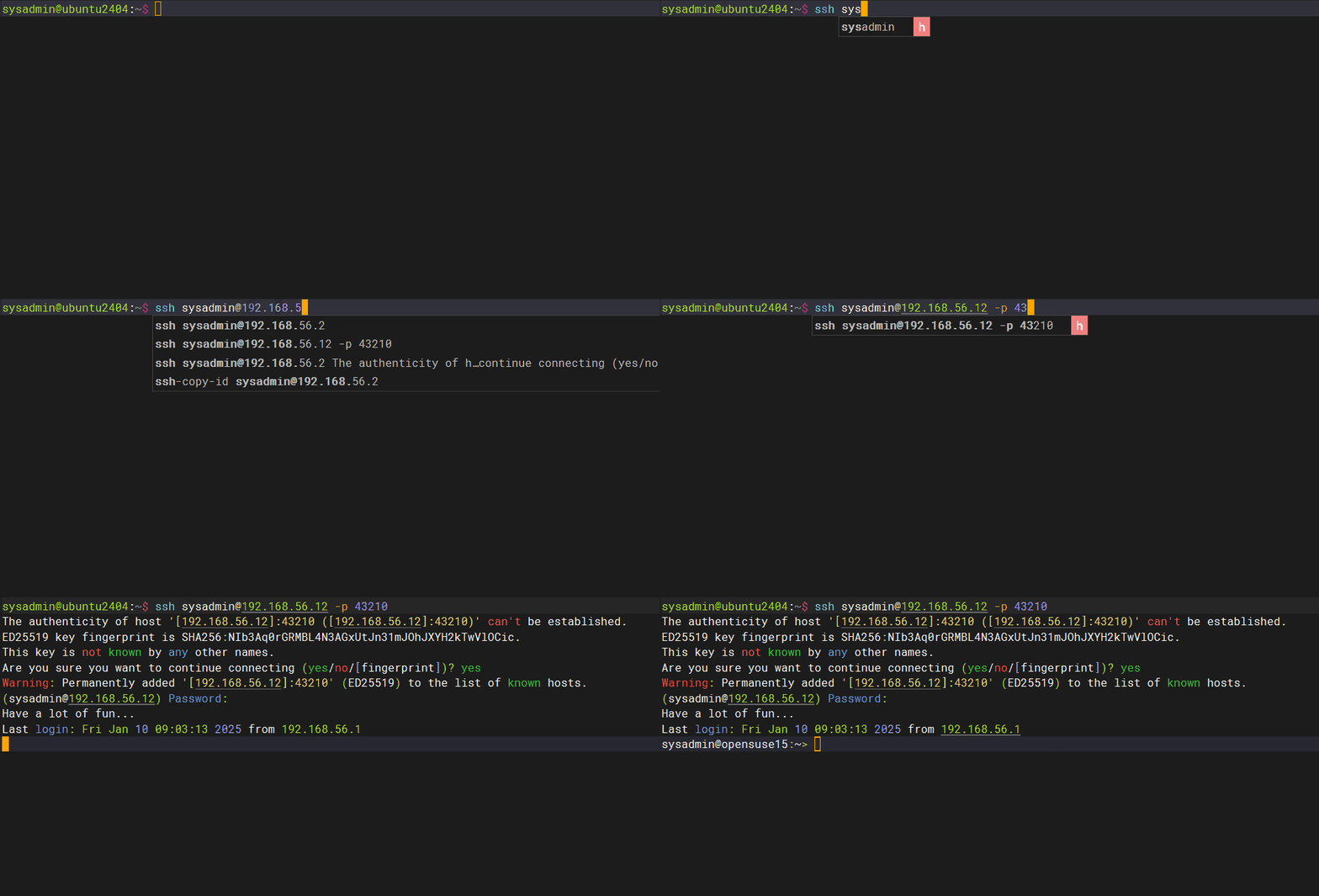
Note
Please note that the port number is from 0-65536, however, these ports are divided into 3 classifications:
- Port 0-1023 => Well-Known ports, you can not use these ports.
- Port 1024-49151 => Registered ports, these is a registered ports assigned by IANA (Internet Assigned Numbers Authority), you can or can not use these ports.
- Port 49152-65535 => Dynamic or Private ports, you can use these ports.
References
jay75chauhan.medium.com
ionos.com
gcore.com
en.wikipedia.org
arubanetworks.com

