By default, when you connect to an Ubuntu server using SSH, Ubuntu will display a welcome message. But sometimes, the welcome message is not needed or even annoying, so you want to disable the welcome message.
Problem
How to disable a welcome message in Ubuntu?
Solution
Usually, the welcome message looks like Ubuntu displays information about the Ubuntu server, as shown in the image below:
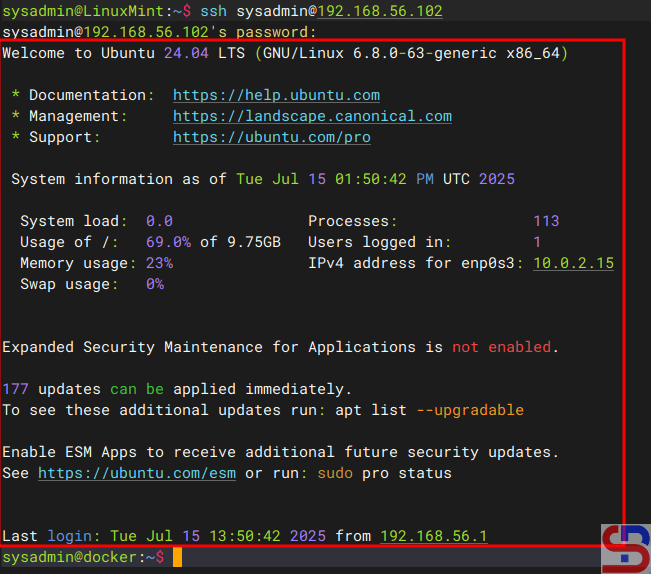
There are 2 methods to disable the welcome message:
1. Remove the execute
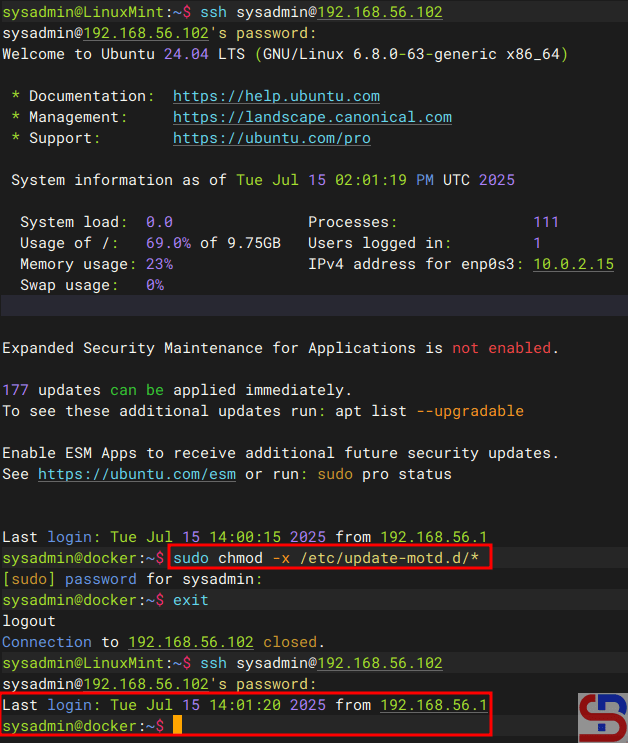
You have to know that the welcome messages are generated by the files residing in /etc/update-motd.d/. So, use the command below to disable the welcome message in Ubuntu:
sudo chmod -x /etc/update-motd.d/*
After you run the above command, every time you access the Ubuntu server, the Ubuntu server does not display a welcome message anymore, but only displays the last login on this server as shown in the image below:
2. Create a file
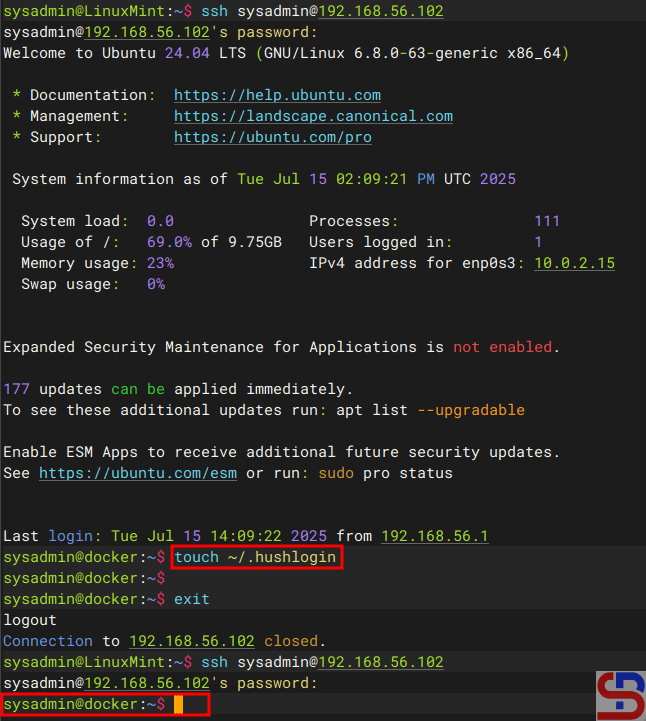
The second method is to create an empty file known as .hushlogin in your $HOME directory by using the command below:
touch ~/.hushlogin
It should be after you do the above command, every time you access the server, the Ubuntu server does not display a welcome message or last login at all, as shown in the image below:
Note
If you want to return the default welcome message after you run one of the 2 methods above, then use the command below if you are using the first method:
sudo chmod +x /etc/update-motd.d/*
And use the command below if you are using the second method:
rm ~/.hushlogin
The default welcome message in Ubuntu should appear every time you access the Ubuntu server.
References

