If you are a user of the MariaDB database, you should know about the term storage engine.
Problem
How to display the storage engine in MariaDB?
Solution
A database engine (or storage engine) is the underlying software component that a database management system (DBMS) uses to create, read, update, and delete (CRUD) data from a database. To see a list of all available storage engines on the server, use the command below in the MariaDB prompt:
SHOW ENGINES;
and it will appear as shown in the image below:
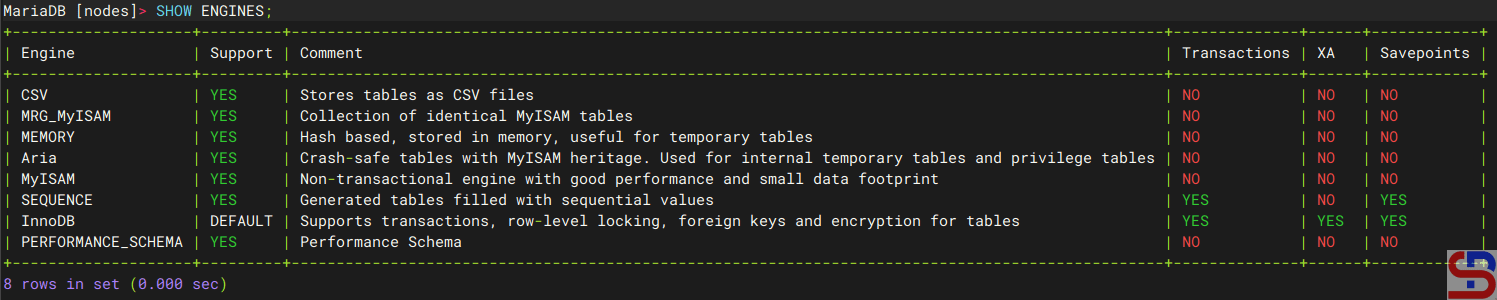
From the image above, you can see that InnoDB is the default storage engine in MariaDB. You can also use the command below to see the default storage engine in MariaDB:
SHOW GLOBAL VARIABLES LIKE 'default_storage_engine';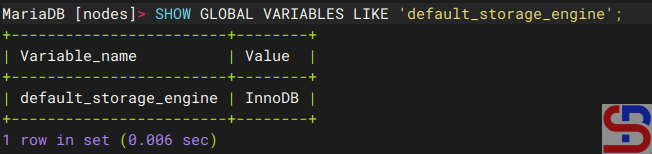
You can change the default storage engine by using the command below, which changes the default storage engine to MyISAM:
SET GLOBAL default_storage_engine='MyISAM';
Or you can use the below command if the session default storage engine supersedes the global default during this session:
SET SESSION default_storage_engine='MyISAM';
You should know that the storage engine is used per table and not per database, and to see it, you can use the command below:
SELECT TABLE_NAME, ENGINE
FROM information_schema.TABLES
WHERE TABLE_SCHEMA = 'nodes';
and the result will look like below:
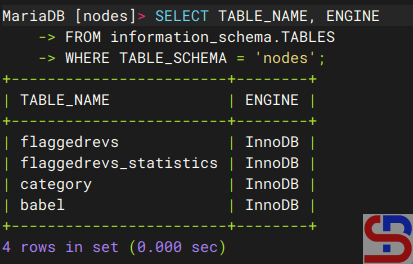
From the image above, it can be seen that all tables in the nodes database use InnoDB, so it can be said that the nodes database uses InnoDB. However, one database (schema) can have a table with a different engine, and the query below is the sample to create 2 tables that use different storage engines:
CREATE TABLE product (
    id INT PRIMARY KEY,
    name VARCHAR(100)
) ENGINE=InnoDB;

CREATE TABLE access_log (
    id INT PRIMARY KEY AUTO_INCREMENT,
    time DATETIME,
    user VARCHAR(50)
) ENGINE=MyISAM;
where the product table uses InnoDB and the table access_log uses MyISAM. If a database uses various storage engines and you want to know how many storage engines are used, you can use the query below:
SELECT ENGINE, COUNT(*) AS Number_of_tables
FROM information_schema.TABLES
WHERE TABLE_SCHEMA = 'db_name'
GROUP BY ENGINE;
You can change the storage engine of a table by using the query below, for example, change it to MyISAM:
ALTER TABLE database_name.table_name ENGINE=MyISAM;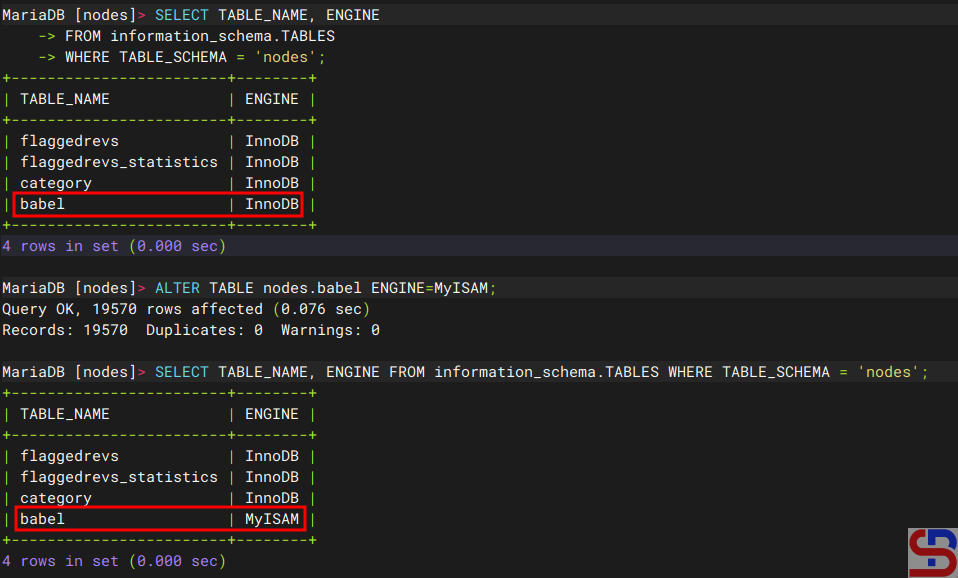
Note
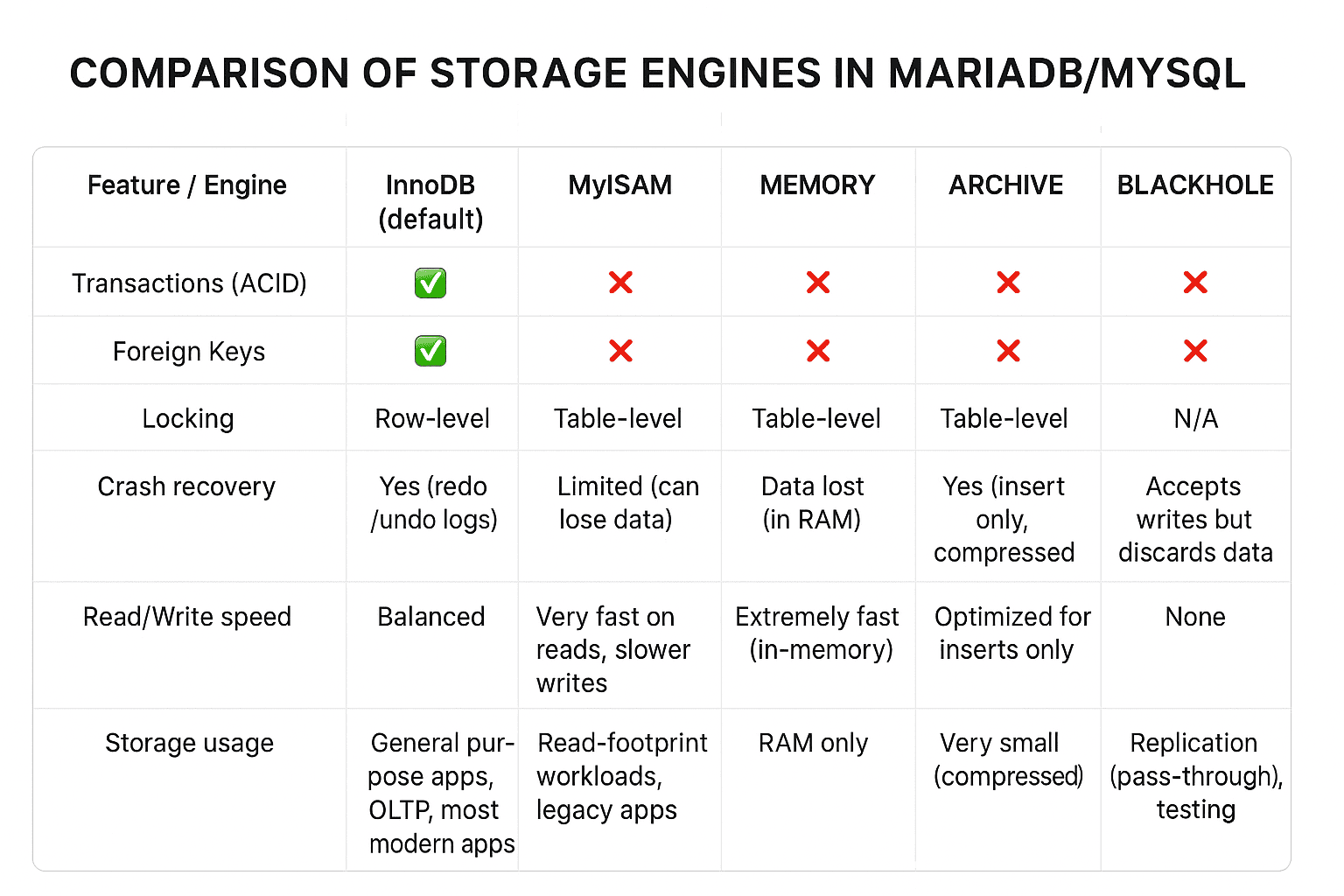
As explained above, there are many storage engines that you can use. But before you decide to use a storage engine, you should first find out the advantages and disadvantages of each storage engine, and to briefly see the differences between storage engines in the image below:
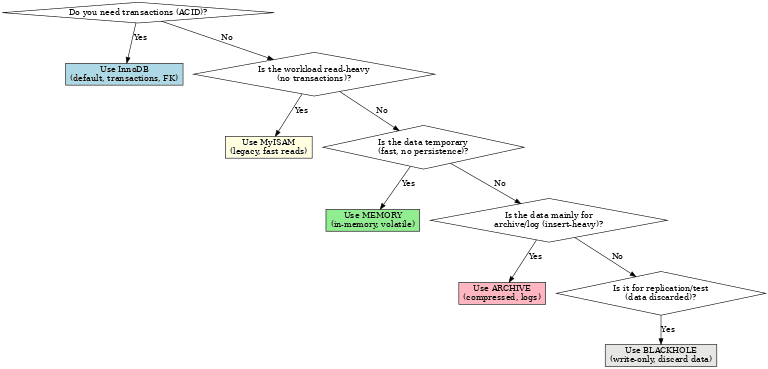
And below is a flowchart to determine the storage engines you will use:
However, as far as I know, among the many choices of storage engines, generally people use 2 types of storage engines, namely InnoDB and MyISAM. Maybe you can see the difference between the two through this site.
References

