By default, in MariaDB, 4 databases are automatically created by the database system, namely information_schema, mysql, performance_schema, and sys. But I just want to display a database created by the user and not the default system databases.
Problem
How to display all databases created by the user in MariaDB?
Solution
If you use the show databases command after you access successfully accessing MariaDB, it will display all databases created by the user and default system databases, as shown below:
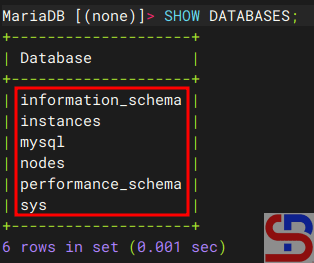
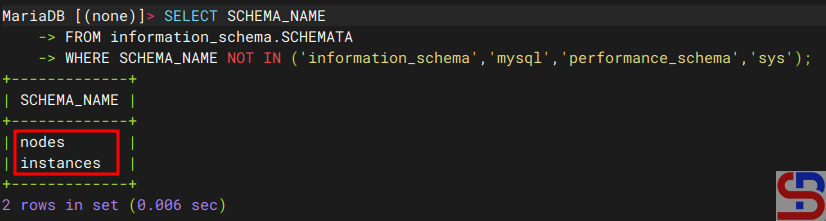
If you want to list only User-Created Databases, you can use a query as below:
SELECT SCHEMA_NAME
FROM information_schema.SCHEMATA
WHERE SCHEMA_NAME NOT IN ('information_schema','mysql','performance_schema','sys');
and it will display like the image below:
Note
If you want to run the Linux command to display all databases created by the user only, use the command below:
mysql -u root -p -e "SELECT SCHEMA_NAME FROM information_schema.SCHEMATA WHERE SCHEMA_NAME NOT IN ('information_schema','mysql','performance_schema','sys');"
And you will see the result like the image below:

References

