If you have a MariaDB database, then you definitely want the performance of the database to improve. Therefore, you should have done several configurations to achieve your goals. There is a script called mysqltuner that you can use to improve the performance of your MariaDB database by providing recommendations.
Problem
How to install and run mysqltuner?
Solution
mysqltuner is a Perl script designed to quickly assess a MySQL setup and implement changes to enhance performance and stability. It supports ~300 indicators for MySQL/MariaDB/Percona Server in this latest version and is actively maintained, supporting many configurations such as Galera Cluster, TokuDB, Performance schema, Linux OS metrics, InnoDB, MyISAM, Aria, and so on. To download it, you can run the command:
git clone https://github.com/major/MySQLTuner-perl.git
Or use the commands below:
wget http://mysqltuner.pl/ -O mysqltuner.pl
wget https://raw.githubusercontent.com/major/MySQLTuner-perl/master/basic_passwords.txt -O basic_passwords.txt
wget https://raw.githubusercontent.com/major/MySQLTuner-perl/master/vulnerabilities.csv -O vulnerabilities.csv
To run this script, you must have Perl installed on your server. So, to run this script, you can use the command (if you download mysqltuner using git, you have to go to the MySQLTuner-perl folder):
perl mysqltuner.pl
Or you permit this script to be executed by using the command:
chmod +x mysqltuner.pl
./mysqltuner.pl
After you run the command, there will be a display as below:
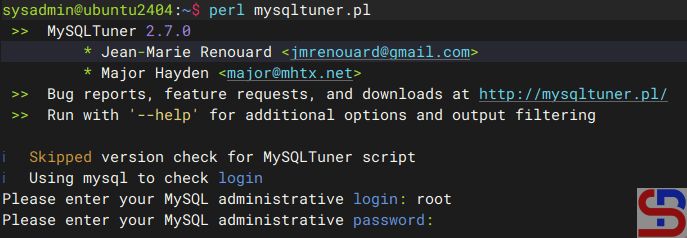
Enter the username and password, and if there is no error, mysqltuner displays your MariaDB state as shown in the image below:
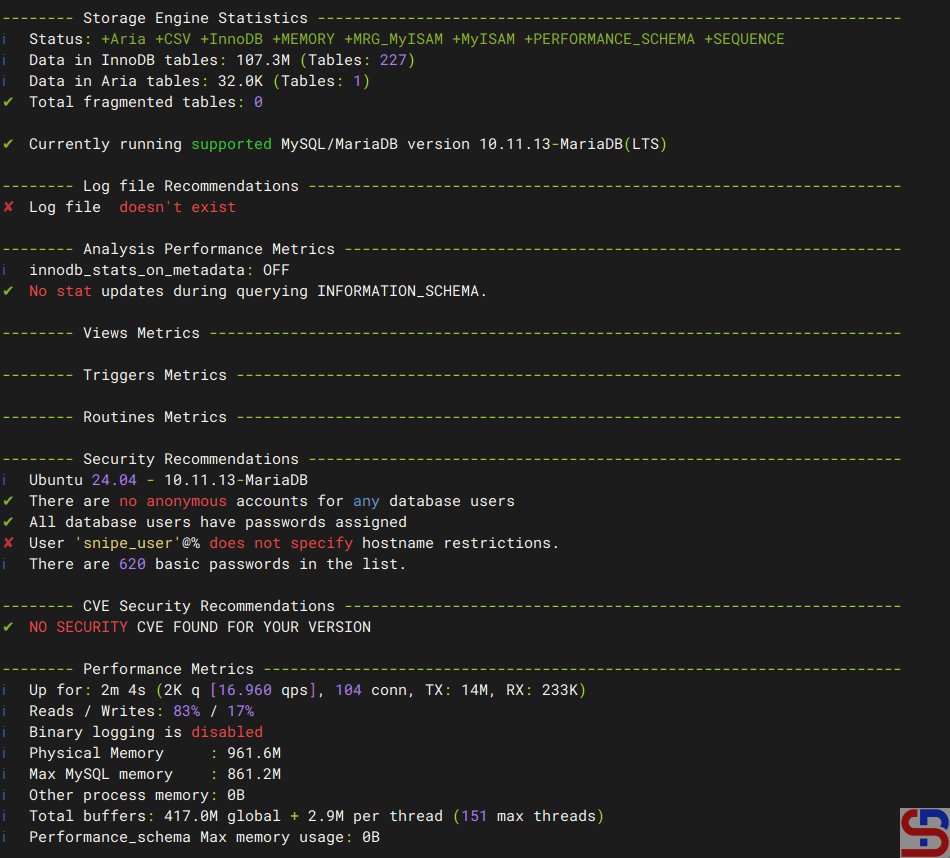
And at the end, mysqltuner will recommend that your MariaDB improve its performance:

Note
If you want to run mysqltuner with the verbose option, use the command below:
perl mysqltuner.pl --verbose
If you want to display Maximum Output Information around MySQL, like display database(s) and table(s) on mysqltuner, use the command below:
perl mysqltuner.pl --buffers --dbstat --idxstat --sysstat --pfstat --tbstat
Use the command below to use CVE(Common Vulnerabilities and Exposures) in mysqltuner:
perl mysqltuner.pl --cvefile=vulnerabilities.csv
Use the command below to save the results from mysqltuner in a file without displaying it on the screen:
perl mysqltuner.pl --silent --outputfile /tmp/result_mysqltuner.txt
To update mysqltuner, run the command below:
perl mysqltuner.pl --checkversion --updateversion
References
mysqltuner.com
github.com
hevodata.com

